VirtualLab Fusion 2026.1 (Build 2.8)
Build: 2026.1 (Build 2.8)
Release Date: April 21, 2026
Type: Bugfix Release
Executive Summary
VirtualLab Fusion 2026.1 (Build 2.8) is a focused bugfix release that enhances platform stability and streamlines key workflows. While the 2026.1 release introduced the Optical Digital Twin Platform, this update addresses specific user feedback to make everyday tasks smoother and more reliable.
Three areas receive particular attention in this release:
-
Program Data Updates – The update mechanism now provides improved error reporting for automatic updates and a new enforced update option with detailed logging.
-
Surrogate Model Workflow – Creating surrogate models for metalens simulation is now more intuitive, with direct access via the New menu instead of requiring template files or component-based initialization.
-
General Bug Fixes – Multiple issues reported by users have been resolved, improving overall stability and correctness across the platform.
All other features and digital twins introduced in VirtualLab Fusion 2026.1 (Build 1.190) remain fully available and unchanged.
Improvements in Detail
1. Enhanced Program Data Update
Keeping your program data – catalogs, manuals, programming support files, and themes – up to date is essential for accessing the latest Optical Digital Twins. This release introduces two improvements to the update process:
Improved Error Reporting for Automatic Updates
The standard automatic update now provides clearer feedback when something does not go smoothly, helping you identify and resolve issues such as network interruptions or server connection problems.
New Enforced Update with Detailed Logging
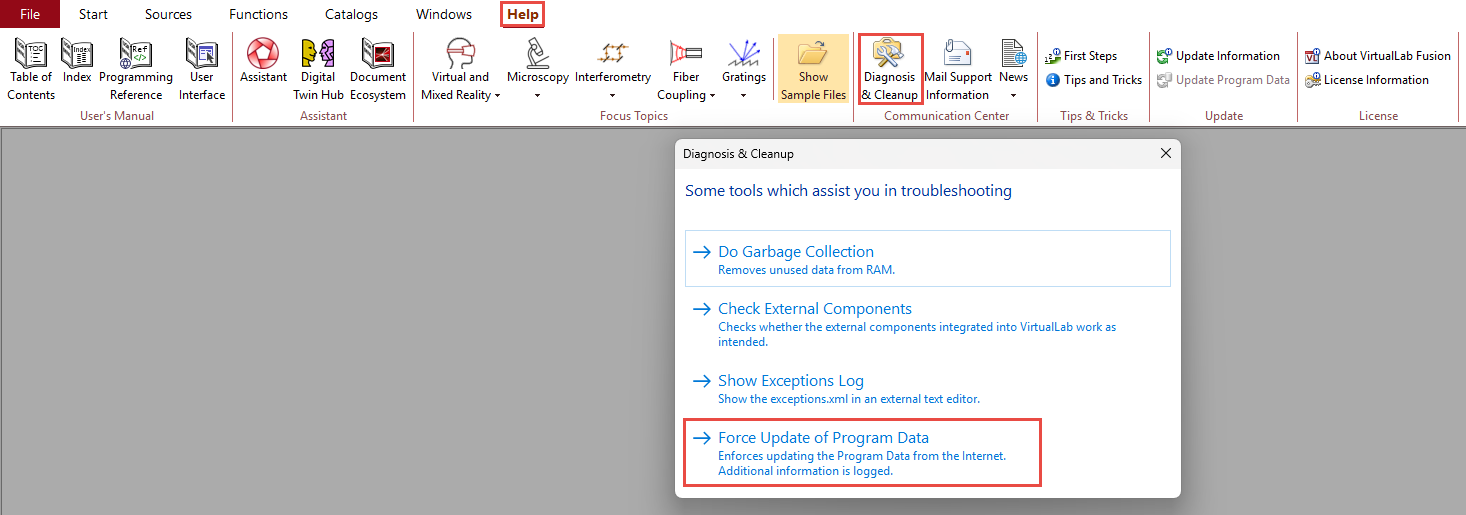
A new "Enforce Update of Program Data" button has been added to the Diagnosis & Cleanup dialog (accessible from the Help tab). This option forces a complete refresh of all program data from the internet, regardless of whether your local version appears current. It is particularly useful when:
- Automatic updates appear stuck or incomplete
- You experience errors related to missing or corrupted catalog entries
- You want to ensure a clean baseline after troubleshooting
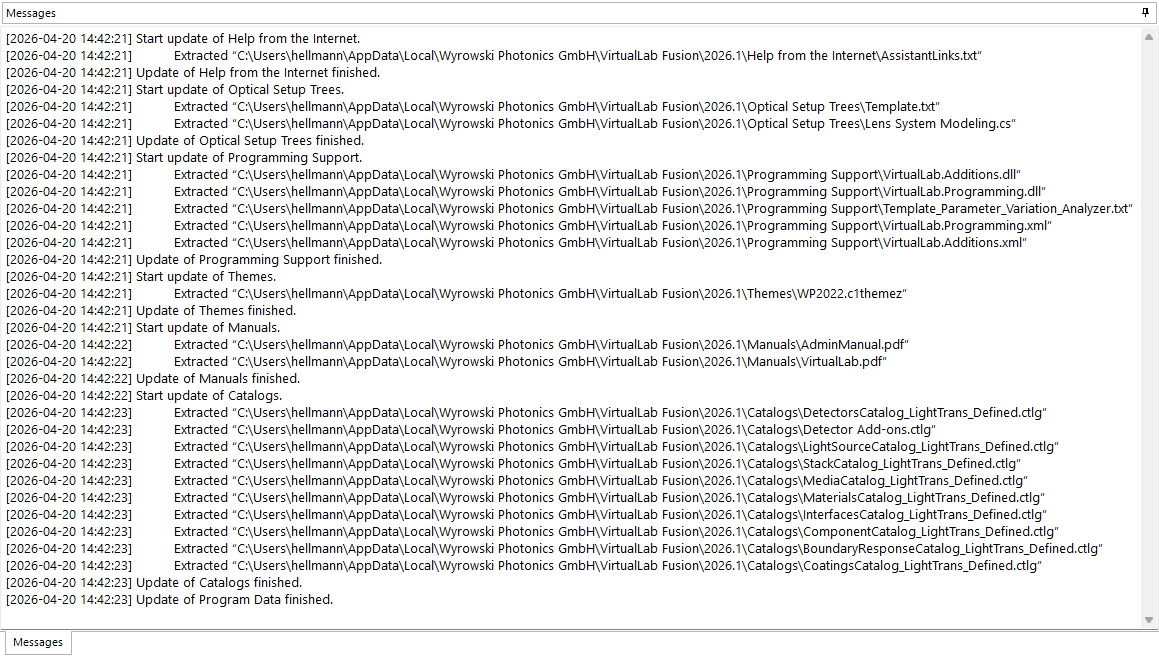
When using the enforced update, the Message tab provides significantly more detailed logging – including exactly which files are downloaded, where they are stored, and confirmation of successful extraction.
For computers without internet access, the manual update process (downloading zip files from the website and unpacking them to the local AppData folder) remains fully supported.
📘 Learn more: See the Tutorial – Updating Program Data in VirtualLab Fusion for step-by-step instructions.
2. Smoother Surrogate Model Workflow
Surrogate models are the backbone of metalens simulation – they embed a neural network trained on RCWA calculations to enable near-instantaneous metalens design and system integration.
Previously, creating a new surrogate model required either loading a template .sur file or initializing training from an existing Metalens [PCA] component. This release streamlines the process:
New Direct Access
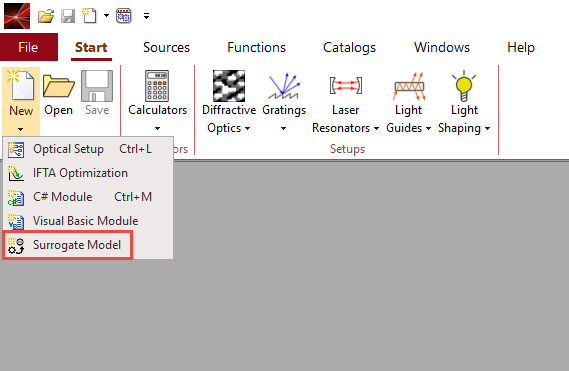
You can now create a surrogate model directly from the New menu in VirtualLab Fusion. The entry is available in multiple locations for your convenience:
- In the Start ribbon (category File)
- In the Quick Access Toolbar
- In the File Menu
This eliminates the need for template files or existing components, making the workflow more intuitive and faster to start.
Once created, the surrogate document allows you to:
- Configure optical parameters (media, wavelength range, incidence angles)
- Define fabrication parameters (nanopillars or nanofins, geometry ranges)
- Train the model using RCWA calculations (with optional distributed computing support)
📘 Learn more: See the Tutorial – Initialization and Training of a Surrogate Model for complete guidance on defining and training custom surrogate models.
3. General Bug Fixes
This release resolves several issues reported by users since the initial 2026.1 release. Key fixes include:
-
Copy View Settings for 3D Ray Tracing Results – The "Copy View Settings" functionality now works properly for 3D ray tracing visualizations, allowing you to consistently transfer camera positions, zoom levels, and orientation settings between different result views.
-
Various stability improvements and minor bug fixes across the platform.
While we do not list every resolved issue here, the cumulative effect significantly improves the day-to-day reliability of VirtualLab Fusion.
System Requirements
System requirements remain unchanged from VirtualLab Fusion 2026.1 (Build 1.190). For details, please refer to the System Requirements page.